Answer
How do I share a real estate model with my lender?
Click Share a private copy, enter your lender's email address, pick a visibility preset (Lender, Equity partner or Custom), and choose what they can see and when access ends. They sign in with that address to open their own copy, free. You can also copy the invitation link, which opens only for that address.
Answer
What can a lender do in a shared copy?
Your lender works in their own copy with a free account. They build their own cases, then send a proposal that splits terms from disputed underwriting, priced separately and together. You accept the terms, accept both, or decline. They can't change your model, and they pull in your updates when you publish.
Sponsor side
Share a private copy
- Share a private copy: a version-pinned copy for one email address.
- Share dialog: Their email; pick Lender, Equity partner or custom sections; set an end date or none; and add a note with the invitation.
- Export to Excel: let a recipient download the figures they can see as Excel. It's off unless you turn it on.
- Copy link: the link only opens for that address.
- Withdraw / Restore access: withdraw a share at any time, and restore it later.

Recipient side
What your lender or partner does
The invite
"{sender} shared {deal} with you on CRE Build." It arrives as "{your name} via CRE Build", quotes your note, and replies come straight to you.
What they see, and what is withheld
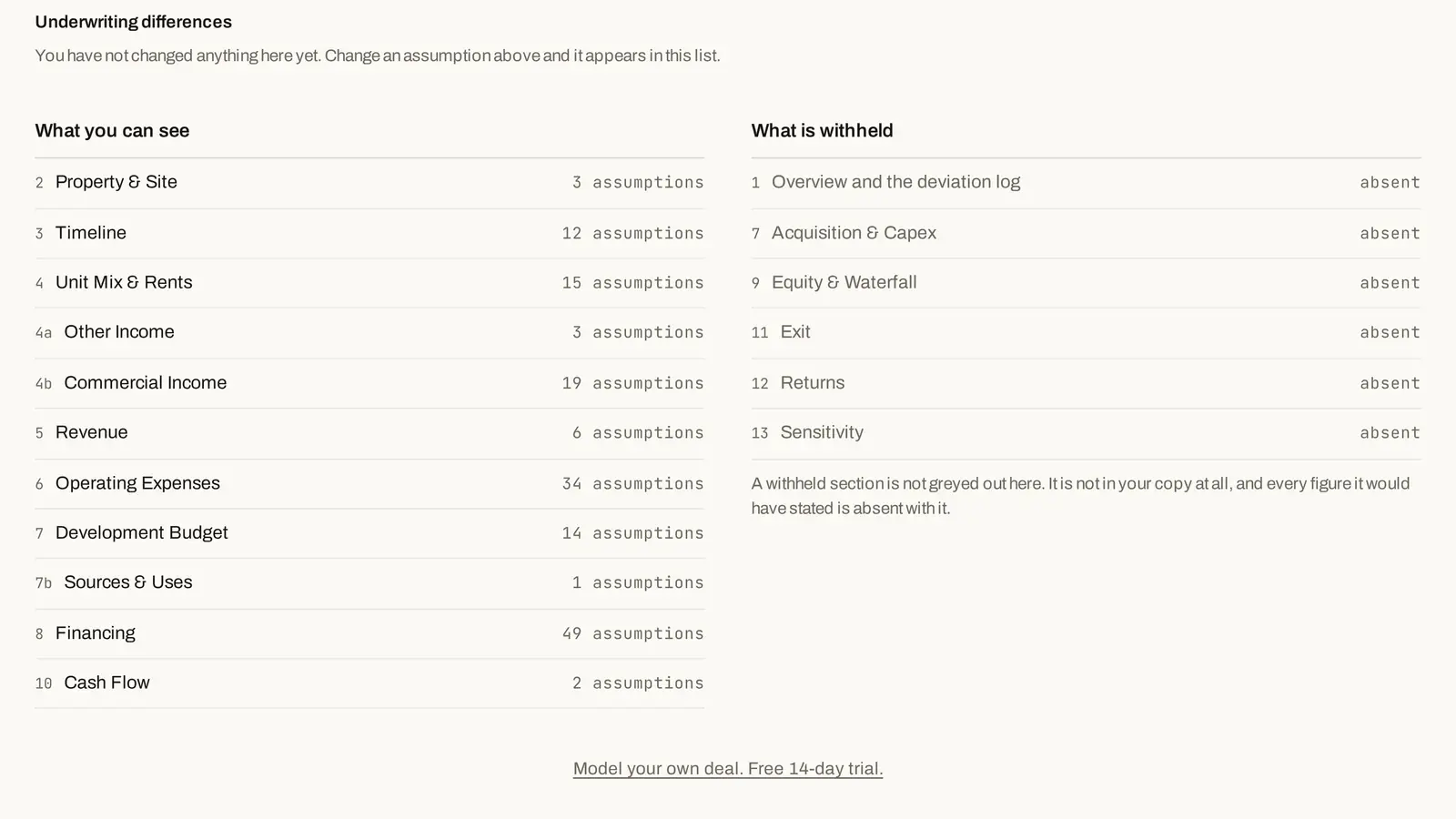
What you can see, What is withheld, and Download the figures (.xlsx) when you allow it.
Their own cases, then a proposal
Recipients build their own cases in their copy, then send a proposal: the terms they're offering and the underwriting they dispute.

Stay current, ask for more time
Take the new version when you publish. Recipients can ask you for access or for more time. Every share lands in Shared with me: Open, Ended, Withdrawn, All.
Back to the sponsor
Price the proposal, then decide
Each proposal arrives priced: what their terms cost, what their underwriting costs, and both together. Accept the terms, accept both, or decline. Accepting files it as a scenario beside your model, so the base doesn't change.

Shared deals
People you share with sign up free and get Pro
Lenders and partners open deals shared with them, edit their own copy and send proposals. They sign up free and get Pro.
Everything in one place
Everything sharing does
- Share a private copy
- Their email
- Visibility preset
- Lender
- Equity partner
- Custom
- What they can see
- When access ends
- Export to Excel
- Copy link
- Withdraw
- Restore access
- Send a proposal
- Accept the terms
- Accept both
- Decline
- Take the new version
- Request access
- Request an extension
- Shared with me
How it works
How it works
- 01
Share a private copy
Pick a preset and an end date.
- 02
They work in it
Their own cases, on a free account.
- 03
They send a proposal
Terms and disputed underwriting.
- 04
You price it and decide
Accept the terms, Accept both or Decline.
Methodology
How the math works
One calculation engine computes every figure in the model, and the methodology page shows how each one is calculated.
FAQ
Questions
Is a shared deal a public link?
No. Every share is bound to one email address, and the link only opens for that address. Anyone else who opens it can ask you for access.
Can I hide sections from a lender?
Yes. You choose which sections a share carries, and a withheld section is absent from their copy, with its figures removed on the server.
Can the recipient download the figures to Excel?
Only if you turn on Export to Excel for that share. They can then download the figures they can see as an .xlsx file.
Can I end access later?
Yes. Set an end date when you share, or withdraw the share at any time and restore it later. A recipient whose access has ended can request an extension.
Pricing
Explore
Related features
Related feature
Reports & Excel export
Investor packs, committee memos and lender summaries, plus an Excel snapshot.
Explore →Related feature
Line-item control
Override a line and see who changed it, why, and what it costs.
Explore →Related feature
Versions & compare
Save versions, compare them line by line, and restore any one.
Explore →